The Muse Errand-Service Playbook: Inbox Cleanup, Subscription Audits, Travel — Paid
There are plenty of ways to make money with AI, but for most people, “do a task for someone and charge a service fee” is the shortest path: no audience needed, no product to build, no traffic to wait for — you deliver once, you get paid once.
Meta Muse (launched 2026-09-08) is particularly well-suited to this — it’s an agent that operates a computer on its own: reading email, canceling subscriptions, comparing prices, placing orders, making calls. You handle client acquisition and oversight; it handles execution.
This is a complete SOP for running an AI errand service: 5 productized packages, pricing, how to land your first client, an acquisition script for Chinese social platforms (adaptable to any platform), the delivery process, and what to say when a client asks about privacy.
Why errand services are the shortest path to AI income for most people
- Zero startup cost: Muse’s free tier gives roughly 100 million tokens a week — enough to run your first few dozen jobs
- Demand is already there: an overflowing inbox, subscriptions quietly draining money, nobody reviewing bills — every working professional has these pain points
- Get paid on delivery: unlike content, which requires waiting for an audience, errand services pay as soon as the job is done
- Repeatable: once you’ve nailed one package, running it for the next client is largely copy-paste
5 productized service packages
Package 1: Inbox cleanup
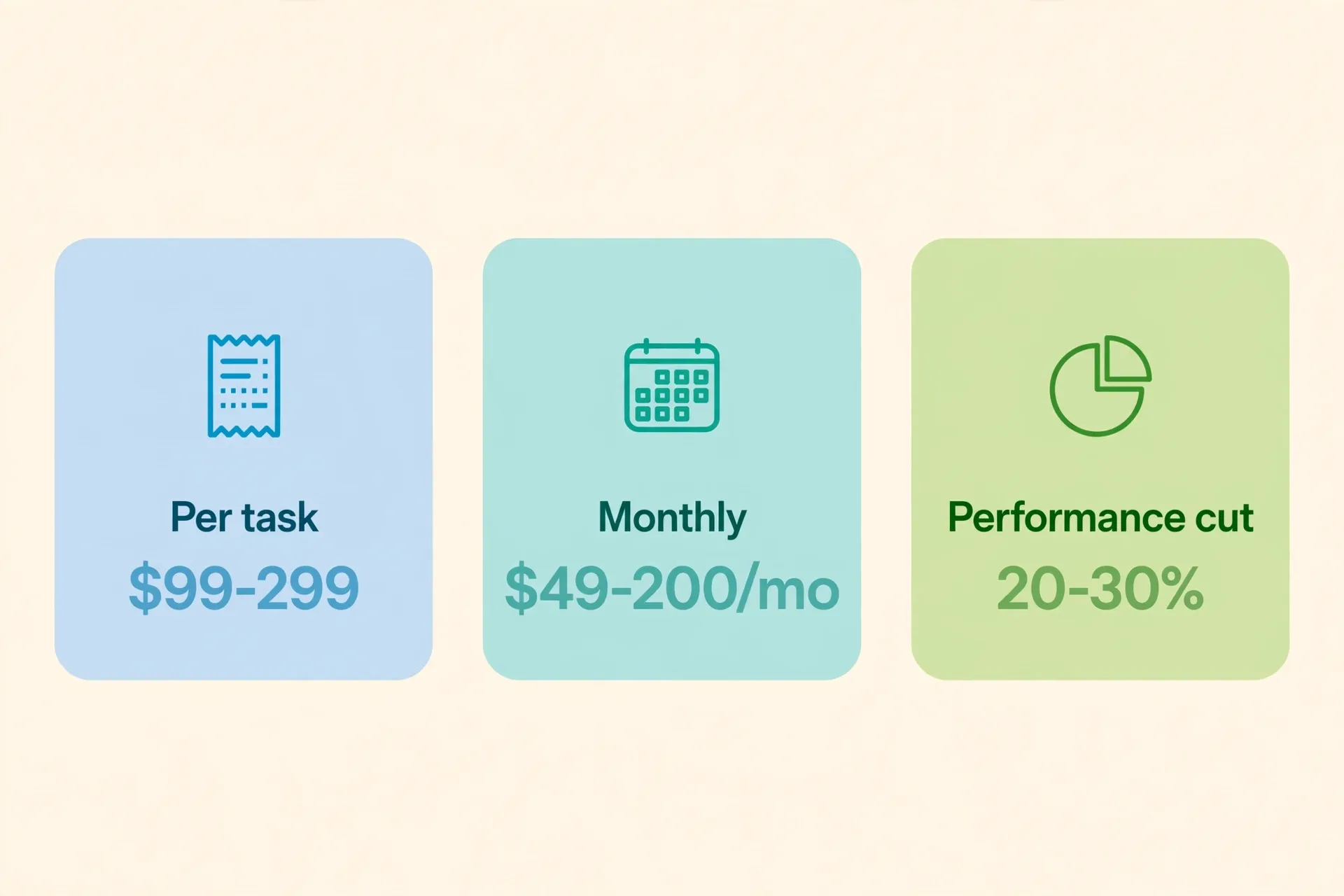
What it includes: Gmail/Outlook cleanup — sorting, unsubscribing from junk, archiving, setting up filters. Real case: a user had Muse clean out a 40,000-email Gmail inbox in one pass. Pricing: $99–$299 per job (tiered by inbox size); $49+/month retainer for ongoing management to drive repeat business. Deliverable: before/after cleanup screenshots plus a subscription list.
Package 2: Subscription audit
What it includes: comb the inbox for every recurring charge, cancel anything unused in 90 days. Real case: Meta’s own showcased Adobe subscription hunt. Pricing: $49–$99 per job, or 20% of the annual savings found. Deliverable: a “savings sheet” — what was canceled, how much it saves per year. This sheet is your referral marketing material.
Package 3: Bill negotiation
What it includes: comparison-shopping and negotiating on insurance, phone, and internet bills. Real case: Joe Devoy saved $3,500/year on car insurance in five minutes, with Muse automatically buying the new policy and canceling the old one. Pricing: 20–30% of the savings found, or $99–$299 per job. Deliverable: an old-vs-new bill comparison plus proof of the refund or savings.
Package 4: Travel booking
What it includes: comparison-shopping and booking flights and hotels, building itineraries, handling changes and cancellations. Pricing: $30–$80 per job, $100+ for complex itineraries. Deliverable: an itinerary PDF plus booking-confirmation screenshots.
Package 5: Forms and expense-report filing
What it includes: organizing expense reports, filling out forms, sorting documents — a high-frequency pain point for business admin and freelancers alike. Pricing: $20–$50 per job, or $200/month for volume. Deliverable: completed forms plus an organized archive of the source documents.
Pricing here is a suggested range — adjust for your city and client type. Principle: run your first 3 jobs cheap to build proof, then raise your prices.
Landing your first client: three steps from zero to one
- Do one job for free: ask a friend, or offer “one free trial slot” to your network, on the condition that you can use a (redacted) screenshot as a case study.
- Save your scripts and templates: everything you told Muse on job one, and the exact deliverable format you gave the client — save all of it as a template. Job two onward becomes copy-paste.
- Price it and go live: once you have 1–2 case studies, set a price immediately. Don’t wait to feel “fully ready” — this business runs on proof, not credentials.
An acquisition script for social platforms
Your first post doesn’t need to be long. The formula: pain point + result + a clear call to action.
Example:
How many “auto-renewals” are sitting in your inbox right now? Last week I ran a friend’s inbox through AI and canceled 7 forgotten subscriptions — saved over $400 a year. Comment “audit” and I’ll check your first inbox for free (limited to 5 spots).
Key points:
- Use real numbers, don’t make them up (if you don’t have a case yet, do a free job first to get one)
- “Limited spots” creates scarcity and caps your workload
- Public comments convert far better than cold DMs
Delivery SOP: five steps
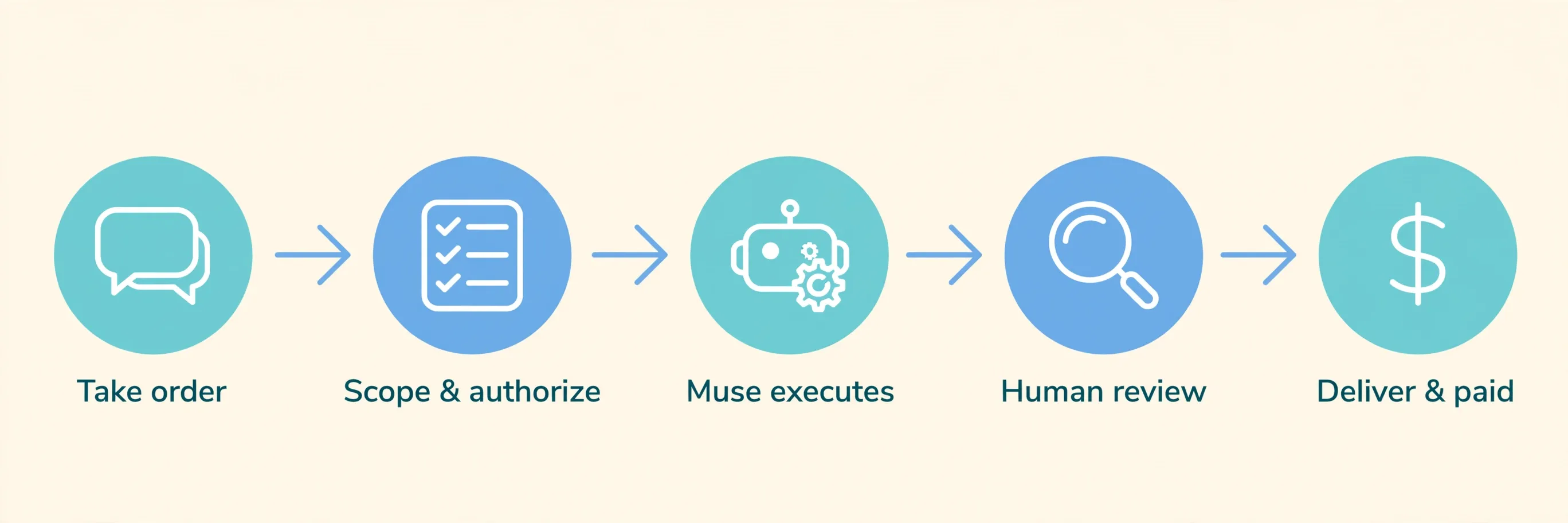
- Take the job: confirm scope up front — “this covers inbox cleanup only, not bill negotiation” — locking scope avoids disputes later.
- Get authorization: clients grant the minimum access needed. Use OAuth for email (read + archive only), never a password; for anything requiring a purchase, use Muse’s one-time virtual card via Link by Stripe, with a spending limit you set.
- Execute: Muse runs the task; you check in at key decision points (before ordering, before canceling, before paying — always confirm manually).
- Sign-off: send the deliverable plus before/after screenshots, get confirmation the client is satisfied, then collect payment.
- Repeat business: mention this on delivery — “I’d suggest a subscription audit every quarter — come back to me next time, and I’ll give you a returning-client rate.” Repeat-business rate mostly comes down to whether you actually say this out loud.
What to say when a client asks about privacy
The most common question: “Is it safe to let AI into my inbox?”
Standard answer:
“Muse runs in an isolated Secure VM that Meta assigns to every user, with a Sentinel security layer on top — it only reads what you’ve authorized. Once the job’s done, the task history can be deleted and access can be revoked anytime. If you’re not comfortable, we can start with a read-only diagnostic report — no actions taken — and you decide after reading it.”
Three principles: explain the actual mechanism instead of empty reassurance, request the minimum access needed, and hand back the choice to delete records or revoke access. One more thing worth saying plainly: Reuters has reported a data leak during Muse’s internal testing — don’t promise “absolutely safe” on privacy. Honesty holds up longer than a good sales pitch.
Three mistakes beginners make
- Scope creep: you agreed to inbox cleanup only, and the client casually asks you to “also take a look at the bills.” Fix: lock scope when you take the job, and quote separately for anything outside it — that’s an upsell opportunity, not free labor.
- Doing the work before talking price: this happens most often with friends and acquaintances. Standard move: send a price quote screenshot before starting, and only proceed once they confirm.
- Granting too much access: letting a client hand over their password to save time is a serious mistake. Insist on OAuth authorization — it’s worth the extra five minutes of walking a client through it. Never touch a password — it’s both a professional boundary and your protection if something goes wrong.
FAQ
Do I need to register a business to take errand jobs? Not at the cold-start stage — run it as an individual first. Once volume is steady and monthly income passes $1,000, look into compliance and taxes (check with a local accountant; specifics pending verification for your jurisdiction).
How many jobs does the free tier support? Roughly 100 million tokens a week; a typical inbox-cleanup or subscription-audit task usually uses a small fraction of that. Dozens of jobs without spending anything is normal — move to the $20/month Power tier once volume grows.
Can I take clients outside the US? Muse is currently US-only (18+). For clients outside the US, either wait for regional expansion (pending verification) or take the job as someone physically based in the US — start with what you can serve.
How does this relate to “7 Real Ways to Make Money with Meta Muse”? That article is the map of “what paths exist”; this one is the blueprint for “how to actually run the errand-service path.” Read the map to pick a direction, then come back here to execute.
New to Muse? Start with the download & setup guide — iOS, Android, Mac, web, and WhatsApp compared, and why Windows still has no native app.
References
- Muse’s official site — the official entry point and product description for Meta Muse, supporting the launch date and “an agent that operates a computer on its own” claims above.
- TechCrunch: Meta debuts Muse — supports the launch details, the Secure VM / Sentinel security architecture, and the Power $20/mo and Maximum $100/mo pricing.
Don't just read it — run the first job this week
Subscribe and get a 7-day validation checklist.
Subscribe free